




Before the sale
- Import offers with images, descriptions, attributes, categories, SEO-safe summaries, and AI-ready product facts.
- Match existing Allegro offers to WooCommerce products.
- Choose directions for content, stock, and regular prices.
WooCommerce operations for Allegro sales
Import Allegro offers and orders. Choose the sync direction for product content, stock, and prices. Send fulfillment status and tracking from WooCommerce back to Allegro — without building a custom integration.
For stores that want to work in WooCommerce while keeping Allegro as a sales channel.
From your first listing to order fulfillment — explore what OrderFlow can do.
Choose the sync direction for linked product titles, descriptions, and gallery images. A first import can create product content in WooCommerce.
Set stock sync globally or per product. A stock buffer reduces the quantity published from WooCommerce to Allegro.
Choose the regular-price sync direction. A percentage or fixed markup can be applied to prices imported from Allegro into WooCommerce.
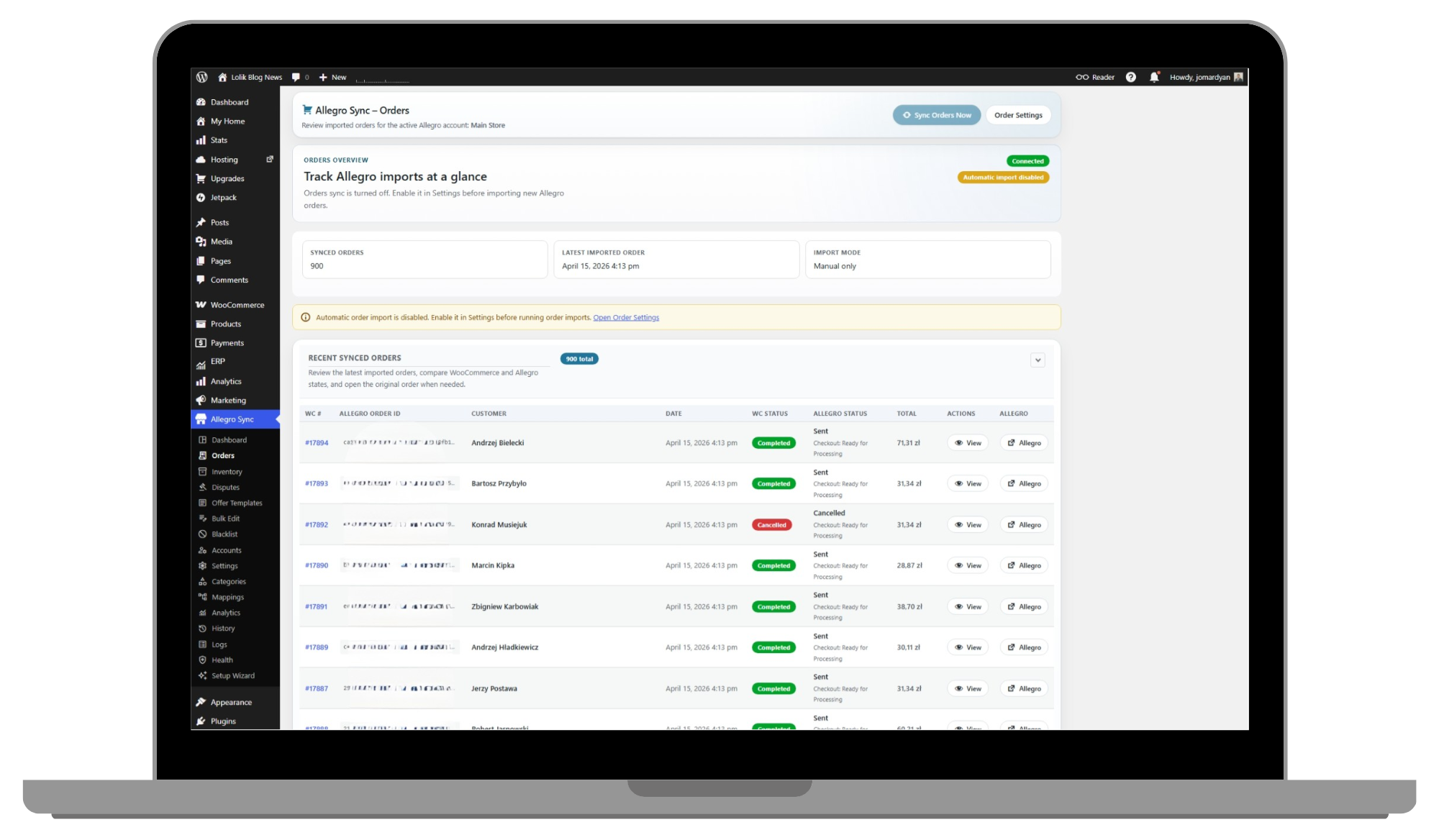
Import Allegro orders into WooCommerce. Send fulfillment status and tracking, and use invoice, refund, return, and shipment actions.
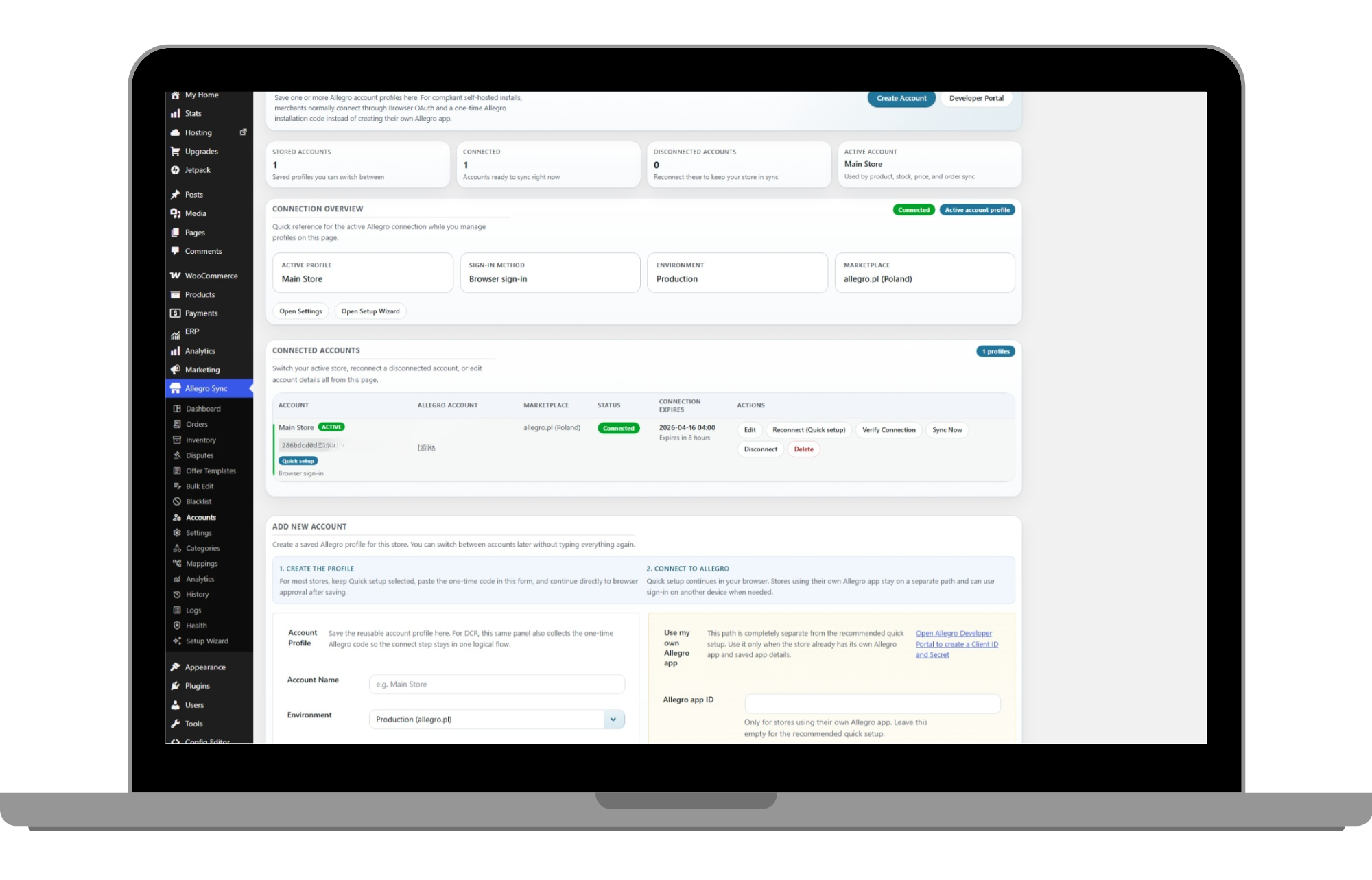
Save multiple Allegro profiles and switch the active account. Each profile stores its environment and PL, CZ, SK, or HU marketplace.
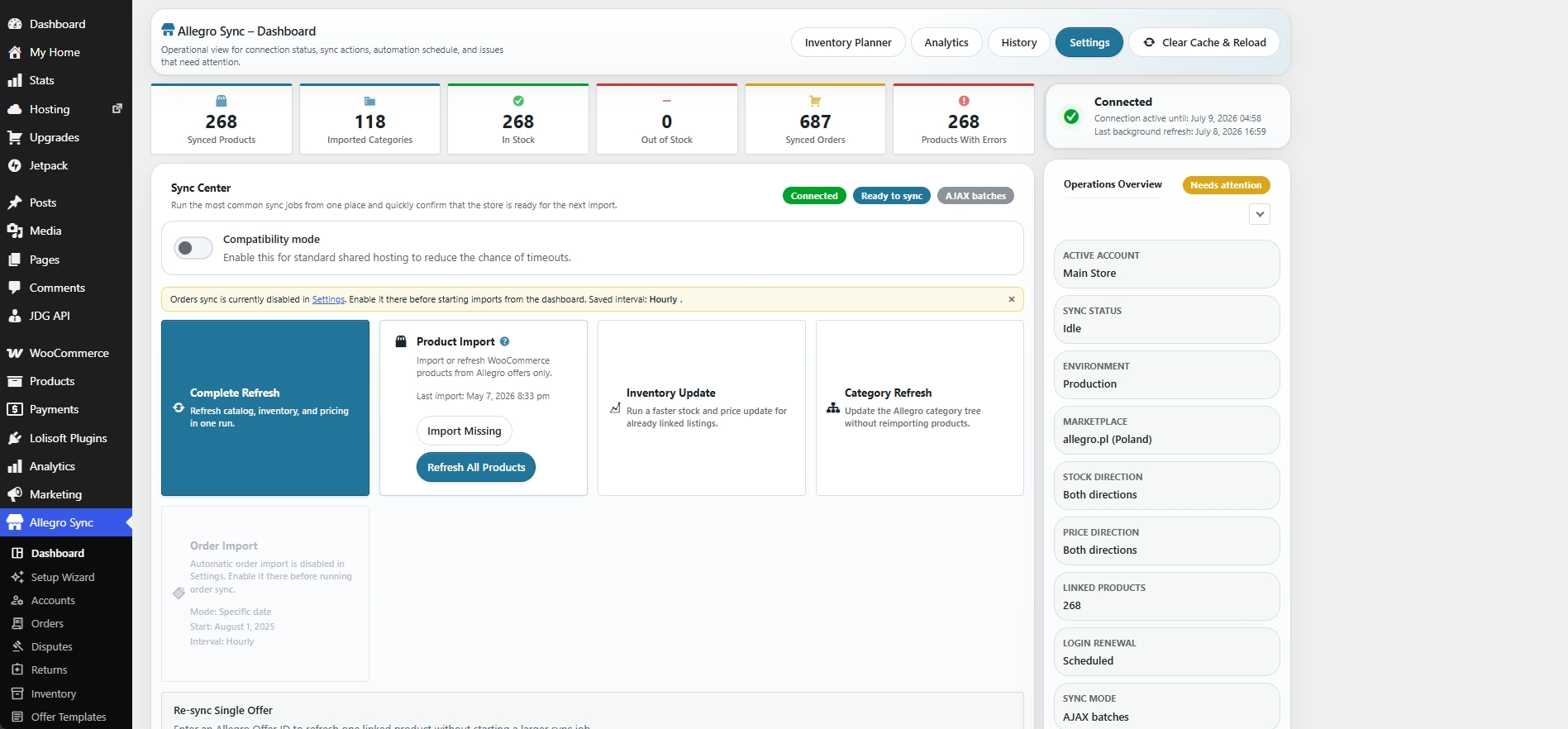
Run sync processes manually or through WP-Cron. Review schedules, progress, errors, logs, and history in the admin views.
From catalog setup through synchronization to order fulfillment, each stage has dedicated settings, manual actions, and status views.
OrderFlow runs on WordPress, WooCommerce, PHP, MySQL, and JavaScript, with Stripe for secure checkout and the official Allegro REST API for marketplace connectivity.
Preview the most important plugin views: fast onboarding, Allegro account management, order handling, and sales analytics.
Choose the recommended quick setup or the own-Allegro-app path, then configure imports, sync directions, and schedules.
Add account profiles, choose the active account, select Production or Sandbox, and assign a marketplace to each profile.
Review imported orders, checkout and fulfillment status, and open the linked WooCommerce order.
Analyze orders, revenue, profit and margin, trends, and marketplace, product, or variation breakdowns; export CSV or JSON.
Choose the stock direction and subtract a reserve before WooCommerce quantity is published to Allegro.
Import Allegro offers into WooCommerce or match existing offers to WooCommerce products.
Send fulfillment status and tracking data from imported WooCommerce orders to Allegro.
The plugin exposes separate controls for catalog content, stock, regular prices, and order handling.
Import offer data from Allegro or send linked WooCommerce product content according to the selected direction.
Stock can move from Allegro, from WooCommerce, or in both directions; synchronization can also be disabled.
Regular prices support the same four direction modes as stock.
Order import uses a configurable history window and maps buyer, invoice, delivery, currency, and surcharge data.
Setup depends on the selected connection path and store configuration.
Use the recommended browser flow or configure your own Allegro application credentials.
Import offers or match active Allegro offers to WooCommerce products, then choose content, stock, and price directions.
Run sync processes manually or set schedules for products, stock, prices, orders, and categories.
From catalog setup through synchronization to order fulfillment, each stage has dedicated settings, manual actions, and status views.
A concise summary of the implemented integration scope.
The wizard and account profiles handle connection. Import and configurable directions handle the catalog. Order import, shipping tools, and diagnostics handle post-sale work.
Setup Wizard, OAuth, multiple account profiles, Production, and Sandbox.
Manual and scheduled sync actions plus Dashboard, Health, Logs, and History.
The descriptions on this page are tied to implemented plugin controls.
Verified against the OrderFlow source and product documentationThe strongest return does not come from one feature. It comes from calmer operations, better margin decisions, and fewer buyer-facing mistakes.
Keep channel pricing deliberate when marketplace fees and promotions put pressure on profit.
Let the team work from WooCommerce instead of reconciling updates across multiple back offices.
Most value appears in the moments buyers never notice because the process stays smooth.
E-commerce growth depends on selling in more places without increasing overhead. Lolisoft OrderFlow is designed for:
The same license scope for stores in Poland and across the rest of the EU. You choose billing region, not a watered-down feature set.
One-time payment — not a monthly subscription. Net price; applicable VAT is calculated and added at checkout. For businesses registered in Poland.
One-time payment — not a monthly subscription. Net price; applicable VAT is calculated and added at checkout. For customers in EU countries outside Poland.
Choose your billing region and continue to secure Stripe checkout. Both regional options include the full professional license.
Everything you need to know about expanding your sales channels.
The plugin includes a Setup Wizard with a recommended quick path. The own-Allegro-app path requires a Client ID and Client Secret from the Allegro Developer Console.
Yes. Active Allegro offers can be matched to WooCommerce products; subsequent updates depend on the selected sync directions.
Yes. Allegro offers can be imported into WooCommerce to speed up setup when the marketplace already has the most complete version of your catalog.
If WooCommerce → Allegro or bidirectional stock sync is enabled for the linked product, the WooCommerce stock change is sent to the offer with the configured buffer applied.
Yes. You can choose the regular-price direction. Percentage or fixed markup applies to a price imported from Allegro into WooCommerce; outbound sync uses the WooCommerce regular price.
Yes, when order synchronization is enabled. Allegro checkout forms are imported manually or on the configured schedule.
When tracking details are added in WooCommerce, the plugin can pass that shipping progress back to Allegro so buyers stay informed.
Yes. Merchants stay in control of what gets linked, imported, and prepared for Allegro, making gradual marketplace expansion easier.
Yes. The plugin supports multi-account workflows for merchants running separate brands, regions, or specialist marketplace operations.
Store teams can review sync health in the plugin and reconnect when needed without rebuilding the whole setup.
Sync processes can run manually or through WP-Cron. Batch size is configurable; the appropriate value depends on hosting and catalog size.
When sales starts to grow, the real decision is not whether to connect channels. It is how much manual work, maintenance, and operational confusion you still want to keep.
The same license scope for stores in Poland and across the rest of the EU. You choose billing region, not a watered-down feature set.
Every region gets the same professional mix of sync, operations, automation, and diagnostics, plus 1 year of free updates for new features and Allegro API changes.
The Poland and EU prices differ by billing region, not by a stripped-down feature set.
Catalog, stock, pricing, order flow, and operator tools are already inside the professional license.
New features and Allegro API change adjustments are covered during the included update period.
You can review the guide, browse the docs, or request a trial before you decide to buy.
Everything below is already part of the plugin license, so the team does not need to assemble the workflow from extra add-ons.
| Area | What is included | Status |
|---|---|---|
| Setup and accounts | Setup Wizard, browser sign-in, saved account profiles, active account switching, and Production or Sandbox environments. | Included |
| Catalog and offers | Offer import, images, descriptions, attributes, categories, SEO summaries, AI-ready product facts, matching existing offers, and one-off offer re-sync tools. | Included |
| Stock and planning | Stock sync direction controls, safety buffers, reorder points, restock targets, and inventory planning signals. | Included |
| Pricing and margin | Price markup rules, outbound price direction controls, and repricing tools for marketplace sales. | Included |
| Orders and shipping | Allegro order import, history-range rules, fulfillment status push, and tracking updates from WooCommerce. | Included |
| Operational visibility | Dashboard, Analytics, History, Logs, Health, runtime progress, and scheduled sync oversight. | Included |
| Advanced operator tools | Disputes, Blacklist, Offer Templates, Bulk Edit, and operator mappings. | Included |
| Automation and integrations | Webhooks, analytics snapshot export, REST and Store API extensions, WP-CLI commands, optional AI copy support, AI/chat-crawler summaries, and Product JSON-LD. | Included |
| Compatibility | WooCommerce 8.0+, WordPress 6.0+, HPOS, Cart and Checkout Blocks, PHP 7.4+, plus Allegro marketplaces for PL, CZ, SK, and HU. | Included |
Choose your billing region and continue to secure Stripe checkout. Both regional options include the full professional license.
Clear regional pricing. 1 year of updates, WooCommerce 8.0+, HPOS, Blocks, and multi-marketplace support in one license.
Browse the full product, installation, support, and legal docs in English and Polish before you buy — every page is public and updated with the plugin.
What OrderFlow is, who it is built for, and exactly what the professional license covers.
Read the overviewStep by step: install the plugin, connect your Allegro account, and run the first catalog and order sync.
Open the install guideHow to use the included year of updates, where to send questions, and how implementation support works.
See support optionsShare how you currently run WooCommerce and Allegro. We will come back with the best next step for a trial and the setup details we need.